Get 500 points for a limited time by linking your ID with LINE and BEAMS CLUB!
2020.09.01

From Tuesday, September 1, 2020 to Wednesday, September 30, 2020, you will receive 500 points for a limited time by linking your LINE ID and BEAMS CLUB. Please take this opportunity to try out the convenient social ID linkage function.
About social ID linkage
Click here for the settings page
*If you are not logged in, the login page will be displayed, and after logging in, the settings screen will be displayed.
*The 500 points given as a gift are for a limited time only.
Limited-time points have an expiration date. Limited-time points will expire if they are not used within the expiration date. Limited time points will be awarded immediately upon completion of ID linkage. The expiration date is from the date the points are awarded until December 31st (Thursday). Please note.
HOW TO CONNECT
How to link LINE ID and BEAMS CLUB
● BEAMS CLUB members who are not friends with BEAMS on LINE (↓)
● If you are not a BEAMS CLUB member and are friends with BEAMS on LINE (↓)
● If you are not a BEAMS CLUB member and are not friends with BEAMS on LINE (↓)
2. Login
3. Press LINE with social ID link
4. Allow it on the LINE approval screen
5. Press Login on the LINE login screen
6. ID linkage completed

2. Add on LINE friend addition screen
3. Open BEAMS talk screen from the bottom talk icon
4. Tap "Mobile Card"
5. BEAMS login screen will be displayed, so log in
6. Mobile card screen is displayed and ID linkage is completed

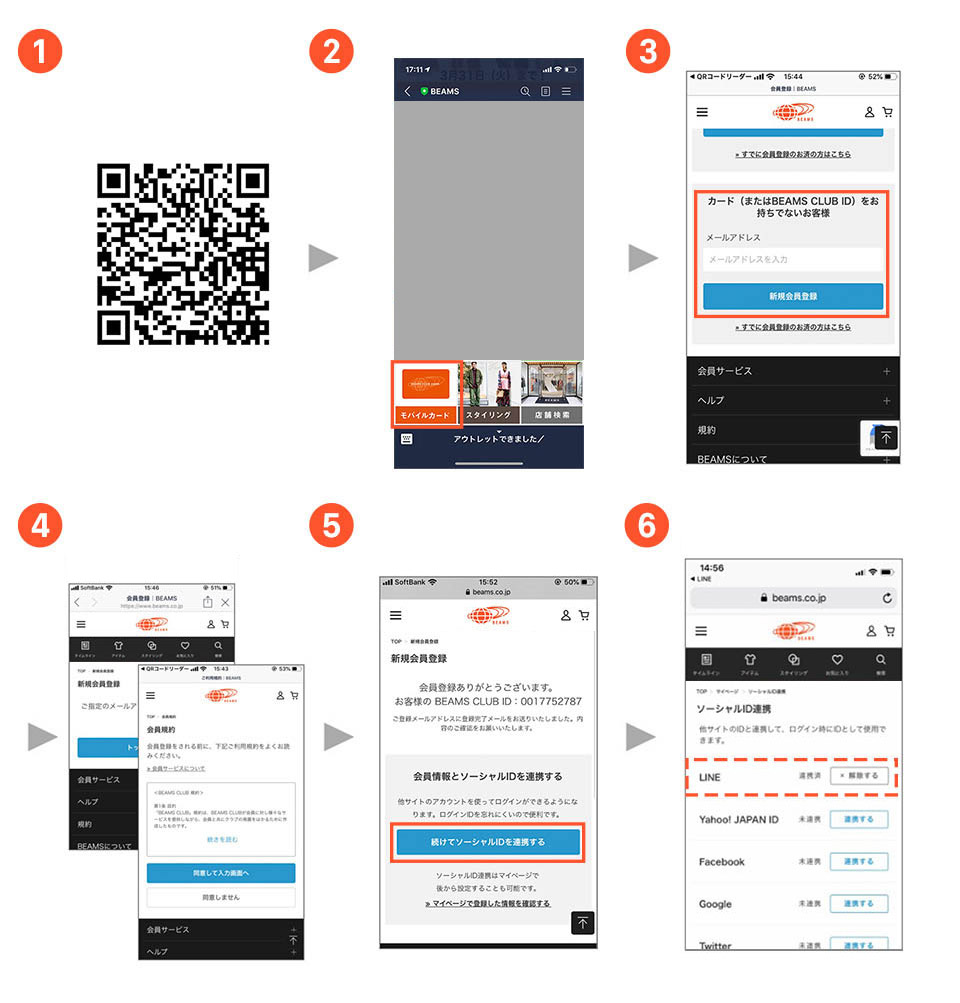
2. Tap "Mobile Card" from the talk screen
3. Register your email address from the new member registration screen and proceed to new member registration.
4. Proceed with membership registration
5. From the registration completion screen, click "Continue linking social ID"
6. Linkage with LINE ID is completed
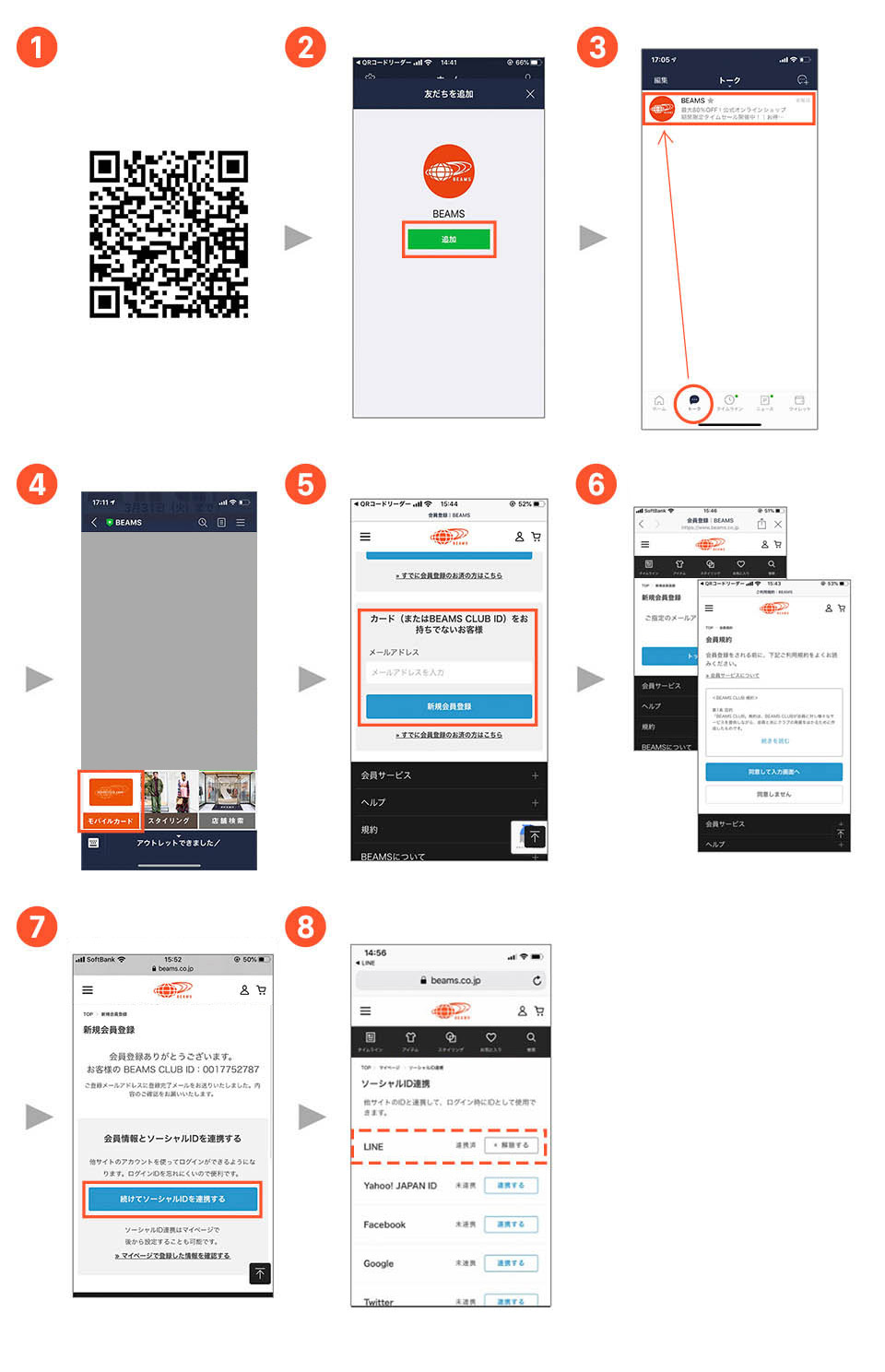
2. Add on LINE friend addition screen
3. Open BEAMS talk screen from the bottom talk icon
4. Tap "Mobile Card" from the talk screen
5. Register your email address from the new member registration screen and register as a new member.
6. Proceed with membership registration
7. From the registration completion screen, click “Continue linking social ID”
8.Linkage with LINE ID is completed
When an error screen appears...
In rare cases, an error may occur when logging in to LINE using a browser. In that case, we apologize for the inconvenience, but please complete the link by entering from the LINE app.